What a Crypto Currency Wallet Really Is
A crypto currency wallet is not a box with coins inside. It's a tool that holds the keys you need to use your crypto. The coins stay on a public ledger called the blockchain. Your wallet just keeps the keys that let you send, get, and check your funds. I think this point gets lost a lot. People say "my coins are in my wallet" but they are not. They are on the chain. The wallet is the key manager.
You get two kinds of keys in a crypto currency wallet. A public key is like an email address you can give to anyone. A private key is like your password or PIN. The wallet talks to blockchains so you can move money and watch your balance. Some wallets hold one type of crypto, others hold many. When you read about a crypto currency wallet, think "key holder" not "coin vault".
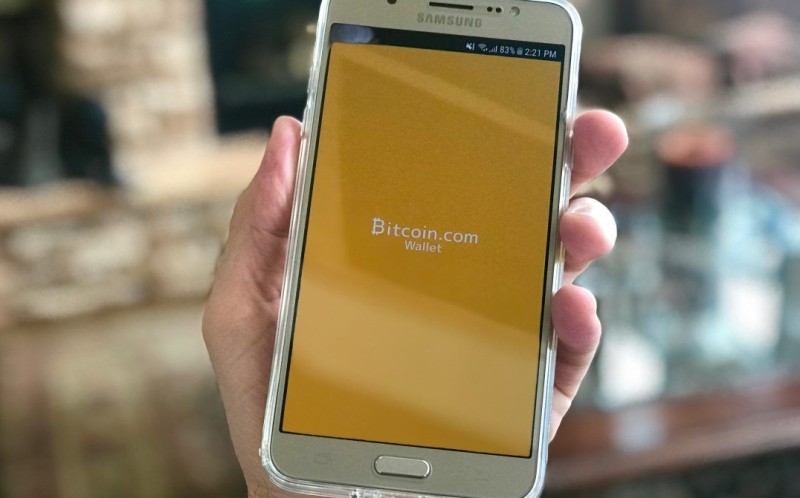
If you want to know how to find a crypto wallet that fits you, start with the simple fact above. You are picking a key manager, not a bank. Some are apps on your phone. Some are small devices. Some are pieces of paper. The form does not change what the wallet does. It only changes how safe your keys are from hackers and from your own mistakes.
Keys, Not Coins: The Email Analogy
A good way to see it is email. Your public key is your email address. You give it out so people send you stuff. Your private key is your login. To send crypto, you log in with the private key so the chain knows it's really you. That is the whole trick. Keep the private key hidden and you keep control. Show it to the wrong site and you can lose everything.
Once the verification of the private key is done, you have validation that it is you sending currency.
This is why I care a lot about the low-tech stuff. A crypto currency wallet can be super fancy but if the private key leaks, no tech saves you. The email analogy helps because everyone gets mail. You don't fear your address. You fear your password on a fake login page.
How a Crypto Currency Wallet Works
The wallet stores your public and private keys and connects to blockchains. When someone sends you crypto, they use your public key as the address. When you send, you sign with your private key. The blockchain then records the move and your wallet shows the new balance. Each wallet has a long string as its ID. You paste that string when sending.
A wallet can hold many crypto types but each type needs its own account made inside the wallet. Think of an old man's wallet with little compartments. You make the slot before you put the card in. Same idea here. On fast networks like Solana the transfer can be quick. On others you may wait or log in and out.
What the wallet does day to day
- Stores your public and private keys
- Talks to blockchains to send and get funds
- Shows your balance and past moves
- Signs transactions with your private key
Hey, don't skip this part. When you send crypto from your wallet, it is almost impossible to take it back. The only way is if the person you sent it to sends it back on their own. So double check the address. A wrong string means lost money.
Wallet Providers and Exchanges
Wallet providers are services that give you an encrypted wallet to keep crypto from many places in one spot. Some let you buy, sell, and trade but the tools can be basic. Metamask and Phantom are common wallet providers. Some providers are also exchanges like Coinbase, Binance, or Crypto.com where you can see prices and trade all in one place.
If you are new and want how to create a personal crypto wallet , one of these providers is the usual start. You open an account, they make the wallet, and you can move small amounts to learn. Just know the difference between a provider that also trades and one that only stores.
Wallet providers are often single service providers who offer encrypted wallets to store all your crypto from various places in one place which can be moved around with ease.
Web3 and Your Wallet
Using a Web3 app today usually means you open a web app called a Dapp. The Dapp tries to connect to your crypto currency wallet. Before EIP-1102, apps could peek at your accounts without ask. Now wallets ask you to approve first. That change helped keep users private and cut spam from bad Dapps.
When you do something in the Dapp, like buy an NFT or stake tokens, your wallet pops up a screen. It asks you to confirm. The Dapp builds the transaction and sends it to the wallet. If you confirm, the wallet signs it and puts it on the chain. Web2 uses a browser as the user tool. Web3 uses your crypto currency wallet as the user tool.
Transaction Statuses You Will See
Blockchain transactions have three main states. Pending means sent but not yet processed. Confirmed means done and final. Failed means it did not go through. Network load, fees, or errors change the result. You can check status in a wallet app or a blockchain explorer.
Why a transaction stays pending
- Network congestion from many users at once
- Low fee so miners process others first
- Some chains let you cancel, others just drop it
A confirmed transaction is final and can't be reversed. Failed ones often come from low gas, a smart contract error, or a wrong address. Always tap "View on blockchain explorer" in the wallet to see what happened. Screenshots and logs help if you need to fix a problem.
Each confirmation represents another block added after your transaction was recorded.
Confirmations matter for safety. Bitcoin often needs six confirmations before funds are seen as fully received. Ethereum may need fewer depending on the place. More confirmations make it harder for anyone to flip or tamper with your transfer.
Types of Crypto Wallets
Crypto wallets come as hardware or software. Hardware is a physical device, often called a cold wallet. Software is an app, often called a hot wallet. Some hold one crypto, some hold many. Custodial wallets are given by exchanges like Coinbase or Gemini. Non-custodial wallets let you keep control, and many hardware wallets like Tangem are non-custodial.
If you look for examples of cold wallets in crypto , Tangem and Ledger are names from the source. Tangem makes hardware wallets and non-custodial software. They do not hold your assets. A ledger nano crypto wallet is a small device that keeps keys off your computer. The Cool wallet Go is another small option some use for the same reason.
Main wallet kinds
- Hardware cold wallet - physical device
- Software hot wallet - app on phone or PC
- Custodial - exchange holds keys for you
- Non-custodial - you hold the keys
For a best secure crypto wallet in my read of the source, the cold hardware type is the strong pick because keys never touch the net. A best hotwallet is fine for small day-to-day use but it's on a connected device so risk is higher. The zengo wallet app is noted as one tool that added checks against approve scams.
Fiat Wallets Are a Different Thing
A fiat wallet stores government money like US dollars or euros. It is not a crypto currency wallet. Crypto platforms use fiat wallets so users can hold cash, send it, and pull it to a bank. Since cash outs need strong customer auth, that adds a layer against hackers.
Fiat wallets also make the user experience better. Without one, cashing out can take days. With one, when you sell crypto the euro amount sits right there and you can move it out. Some platforms keep fiat funds with a regulated entity so the money is guaranteed.
Setting Up and Using a Wallet
The best way to learn is to set up two wallets and move a little crypto between them until you trust the process. Some providers are also exchanges like Coinbase where you can buy and sell. Others like Binance or Crypto.com do the same. Start small so a mistake costs cents not rent.
For a Solana test, you need a wallet that supports SOL. Metamask can't do SOL, so Phantom is needed. You can run a wallet on a Linux box with the command solana-keygen new. Write down the public key and the mnemonic phrase. That phrase is your backup. Then send a bit of SOL from a cloud wallet and check with solana balance.
You MUST write down the public key and mnemonic phrase as you'll need this for the future.
If you run a group that takes crypto gifts, the checklist is simple. You need a crypto currency wallet to get funds, a donation tool, a gift policy, some staff training, and a marketing plan. Your public key is what donors use to send the gift. Convert to cash soon after so the value does not swing.
The Low-Tech Secret: Paper Backup
The best defense for wallet safety is a paper wallet with your private key and/or seed phrase stored in a safe place. That's it. No app, no net, no hacker on a server. Just paper and a locked drawer. I like this because it's dumb in the good way. Tech fails. Paper sits.
The best way to ensure wallet security is to use a paper wallet that contains your private key and/or seed phrase and store it in a physically secure location.
This is the low-tech secret to keeping a crypto currency wallet safe. Write the keys. Hide the paper. Don't photo it to the cloud. If private keys are exposed, others can send from your wallet. A paper copy offline means a hacker on your laptop still can't touch the funds.
Scams and How to Dodge Them
A lot of crypto scams are phishing. You visit a shady site and connect your wallet. They trick you into signing a transaction that gives them control. One common NFT trick shows a fake mint. You connect and sign. The last sign calls setApprovalForAll and the attacker takes your tokens. You blind-confirm and they move it all.
Your wallet should show as much as it can about what you are signing. The domain, the function, the params. Read it. MetaMask updated their screen to warn about setApprovalForAll scams. Groups like WalletGuard and ZenGo added similar checks. Use a wallet that tells you what's up.

Signs a site may be unsafe
- No dapp_file on the root with contract info
- Domain registered very recently
- TLS cert just made or about to expire
- Smart contract not verified or no source shown
Some wallets can show health data from a service. A fake Uniswap site returned no dapp_file and a fresh DNS record, which is a red flag. If your wallet shows that, stop. Don't sign. Close the tab.
DeFi Lending Risks for Wallet Holders
DeFi lending platforms have risks that hit wallet holders. One past event showed hackers took a large sum from major DeFi lenders, and a big platform saw mass withdrawals where some lenders could not pull funds. The hack showed three weak spots: relying on poorly checked third-party info, small insurance funds, and mixers that hide who moved the money.
In one case tokens were made from nothing, pledged as collateral, borrowed against, then sent to a mixer. A run followed and stablecoin lenders pulled billions. Rates on DeFi platforms spiked. The lesson for a normal wallet user is simple. If you lend through a wallet, know the platform can break. Don't park what you can't lose.
DeFi lending platforms expose inherent risks that affect wallet holders.
Wallet Use by Nonprofits
Many people hold crypto now. Over 800 million use it worldwide. Among top US charities, the share taking crypto donations grew a lot over a few years. In one reported year nonprofits got over one billion in crypto gifts, with average gift size past ten thousand. That beats the usual online cash gift by a lot.
For nonprofits, the move is convert donated crypto to cash fast so value does not drop. Market swings are a real risk because no government backs crypto. A custodial wallet from an exchange like Coinbase or Gemini makes the cash out simple. Donating appreciated crypto can also avoid capital gains tax and give a deduction.

Automated Strategies and Your Wallet
Some platforms let you automate trades from your wallet. Diamond Pigs is one. You can fully automate or mix with manual control. You pick how much of the wallet is on auto. They list strategies like Gascon for BTC and ETH focus, Hereford for BTC buy low sell high, Duroc for wide spread, Pennywell for eco tilt, and Berkshire for top ten rebalanced monthly.
The key point for a crypto currency wallet user is you still hold the keys or the access. Automation is a layer on top. If the strategy loses, that's on the market, not a lost key. Start with a small amount and learn the controls before you let any bot move real size.
Travel and Discreet Use
For travelers or quiet use, Tangem makes hardware and software that are simple. No wires, no stress. Products include Tangem Hardware Wallet, Tangem Ring, Tangem Mobile, and Tangem Pay. They support assets like Bitcoin, Ethereum, Solana, XRP, and Tether. A ring or card is easy to carry and keeps keys off your phone.
If you ever wonder about a treasure wallet crypto setup for on-the-go, the source points to these small Tangem items as low-fuss options. They are non-custodial so you stay in control. Just remember the paper backup rule still applies. A lost device with no seed means lost funds.
Crypto Account Create Steps
To use most wallets you first do a crypto account create step inside the app or device. That makes the wallet and shows your keys or seed. Write the seed on paper. For a cloud wallet you sign up, for a hardware one you init the device. Each wallet gets its own ID string used when sending.
Basic setup order
- Pick wallet type - hardware or software
- Create account and save seed phrase
- Write public key and ID string
- Send small test amount first
Don't rush the create step. The seed phrase is the master key. If you skip writing it because the app says "later", you are one phone wipe from losing access. A crypto currency wallet is only as good as your backup habit.
Simple Habits That Keep You Safe
Beyond paper backup, a few habits help. Check the domain before you connect. Read the sign screen. Use a wallet that shows contract details. Keep large funds on cold storage. Only keep spend money on a hot wallet. And never type your seed into a website. No real wallet asks for that.
If private keys are exposed, others can send currency from your wallet.
I keep saying it because it's true. A crypto currency wallet does not protect you from yourself. The chain does not care if you were tricked. So slow down on every send and every sign. The low-tech paper and a calm head beat most fancy hacks.






Comments on “How a Crypto Currency Wallet Works-and the Low-Tech Secret to Keeping It Safe”
No comments yet. Be the first to share your thoughts.