
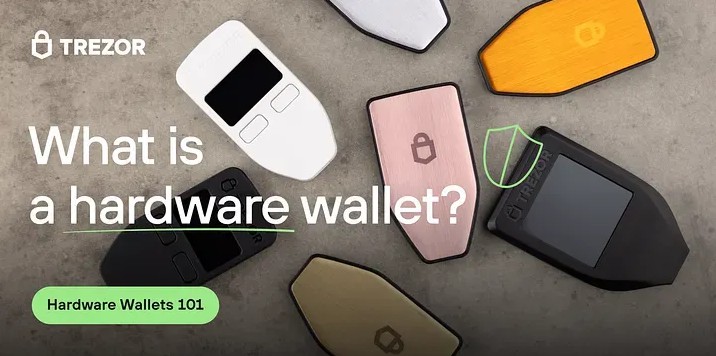
Cold Wallet Trezor: Storing Crypto Safely
A cold wallet trezor keeps the keys that control crypto away from the internet. The coins themselves stay on the blockchain. The device holds or works with private keys, signs a transaction, and shows the details before I approve it. That keeps key work out of an online setting, but it does not remove every risk.
I like the idea of putting the key work in a small device I can hold. But a lost device, stolen seed, fake address, or hacked computer can still cause pain. I would treat a cold wallet trezor as one layer in a security plan, not as a promise that every online step is safe.
What a Crypto Wallet Stores
A crypto wallet is a digital tool for sending, receiving, and managing cryptocurrency. It does not physically hold coins. Bitcoin, Ethereum, and other assets stay recorded on their blockchains, while the wallet manages the private keys that authorize transfers and the public keys or addresses that receive funds.
Wallet types and their jobs
- Hot web wallet: a browser-based wallet connected to the internet.
- Hot mobile or desktop wallet: an app that stays online for common transactions.
- Cold hardware wallet: a physical device that keeps key work offline during storage.
- Blockchain record: the public ledger that records asset transactions.
If you are asking what are crypto cold wallets , the answer is simple: they keep key work away from an internet-connected environment during storage. That is crypto cold storage . Hot wallets are handy for frequent or small payments, but their online connection leaves more room for malware, phishing, and other attacks.
How Trezor Keeps Keys Offline
A Trezor is a physical cold wallet for managing keys. It can generate and store private keys offline, then connect to a computer or phone only when you need to buy, sell, receive, exchange, or sign. The connected app handles the interface, while the hardware handles the key operation. That split is why a cold wallet trezor can reduce online exposure.
What offline use can reduce
- Malware that records or swaps transaction data.
- Phishing attacks aimed at wallet credentials.
- Remote theft of keys from an online wallet.
- Untrusted software handling the recovery seed.
- Unauthorized transfers without the required device action.
The device is a small safe for digital assets.
That wording needs context. Blockchain records are public, a connected computer can be hacked, and a user can still approve a bad address. Offline storage lowers exposure; it does not make a person anonymous or every transaction private.
Trezor History and Model Lineup
Trezor is developed by SatoshiLabs, described in the Trezor material as a Czech-based company. Pavol "Stick" Rusnak and Marek "Slush" Palatinus began working on a standalone private-key solution after meeting at a Bitcoin conference in Prague in 2011, and they called the project PIGLET. The material places early Trezor work in 2013 and calls Model One the first hardware wallet, launched in 2014. Those dates are history, not a promise about what every model can do.
Models named in the Trezor material
- Model One: the simple, affordable entry model.
- Model T: a touchscreen model with wider asset support.
- Safe 3 and Safe 5: models built around added security and touchscreens.
- Safe 7: two secure elements, Bluetooth, a larger screen, and a quantum-ready label.
Model One is the plain entry point, while Model T adds a screen and broader coin support. Safe 3 and Safe 5 add secure-element features; Safe 7 adds more hardware and a label Trezor calls quantum-ready, not quantum-secure. Prices, supported-asset totals, and warranty details in the material do not line up, so I would check the maker's page for the exact model before buying.
Picking a Trezor Model
For a cold wallet trezor, I would pick a model by checking the screen, chip, mobile path, supported coins, and backup type. A larger screen can make address checks easier, while a secure element gives sensitive key work its own protected chip. A desktop-first buyer may want Trezor Suite, while a phone-first buyer needs to read the limits of the mobile app. The Safe 5 review presents a middle path with a color screen, haptic feedback, a microSD slot, and an EAL6+ secure element. It does not rank Safe 7 above Safe 5, so model choice is not just a feature count.
A simple model checklist
- Screen: can you read the full address and transaction details?
- Chip: does the model use a secure element?
- Mobile path: which Suite or third-party app works with it?
- Backup: does the model use a standard seed, Shamir shares, or both?
When I compare hardware wallets for crypto , I do not use one spec sheet for every device. Among crypto hardware wallets , the broad job is the same, but the details are not. A Ledger hardware wallet follows the same general idea, while a Ledger hardware device such as a Ledger Nano crypto wallet has its own setup and software. For what a Ledger wallet is , the short answer is a physical device that signs transactions while keeping the private key off the general computer. The material quotes a Ledger Nano X price , but prices and features differ by model and seller. When comparing Ledger device hardware claims, check each maker's support and security notes.
Trezor Suite and Device Connections
Trezor Suite is the software environment for accounts, receive addresses, balances, transactions, firmware, passwords, and supported assets. The product overview describes Trezor devices as USB-like, connected through USB-C, and free of a battery, so they do not need routine charging. Suite can connect to third-party wallets and, through Invity Trade, compare offers for buys, sales, or exchanges. It is a control panel for the device, not the place where the coins sit.
Connection paths named in the material
- Windows, macOS, and Linux: use Trezor Suite on a desktop.
- Android: connect through USB-C or USB-OTG, depending on the device and phone.
- Third-party apps: Electrum, Exodus, and MetaMask can work with supported devices.
- iOS: support depends on third-party apps or Trezor Suite Lite and the chosen model.
- Safe 7: Bluetooth is available and can be disabled.
The mobile notes differ because the material covers different models and software versions. One comparison calls Trezor Suite Lite limited on iOS, while desktop Suite is the fuller path. Bluetooth on Safe 7 is a hardware feature, not proof that every Trezor mobile app has the same functions. I would check the exact model and Suite version before planning a phone-only setup.
PINs, Passphrases, and Layers
A Trezor setup guide says to choose a PIN with 4 to 50 digits and enter it directly on the device. A passphrase is different: it can open a hidden wallet or separate wallet space, and several passphrases can separate accounts. The PIN protects normal device access, while the passphrase adds a separate secret. Neither one replaces a good recovery backup.
Layers that can stand on their own
- The physical Trezor device.
- A device PIN with exponential backoff.
- A hidden-wallet passphrase.
- A physical recovery backup stored apart from the device.
- A microSD card stored apart from the device on models that use it.
- A multi-key vault that needs more than one signature.
- Offline signing without an internet connection and a secure physical location.
Never type a recovery seed into a computer, website, chat, or compromised device.
A passphrase helps only when it is kept apart from the device and seed. A recovery word stored on an online computer can undo the point of the hardware. I would keep the device, backup, and any extra card in separate places. A hidden wallet is useful, but it is not a magic shield.
Open Source and Device Checks
Trezor's security model starts with open-source firmware, public hardware information, and software documentation. The point is not blind trust; people and security researchers can inspect how the system is designed. The material names Trail of Bits and Kraken Security Labs as auditors. It also reports no major device-compromise losses when devices are used correctly, but it admits that user error remains a major risk.
Device protections described in the material
- A secure-element chip for sensitive key work.
- A bootloader check for firmware.
- On-device transaction verification.
- PIN protection with exponential backoff.
- Optional passphrase support.
- Offline private-key generation and storage.
- FIDO2 and U2F support for two-factor login.
- Screen confirmation and a device wipe function.
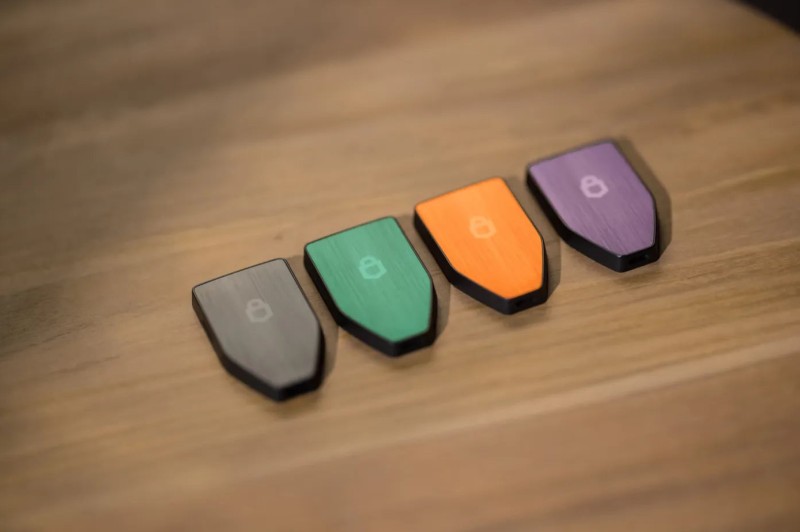
The Safe 5 is described with an EAL6+ secure element, and Safe 7 with two secure elements, including TROPIC01. Those chips help protect sensitive operations, while the screen lets you check the destination and amount yourself. Firmware checks and on-device confirmations add more steps. None of them turns a wallet into a 100% safe box, so I still check the screen and the computer.
Setting Up a Trezor
When setting up a cold wallet trezor, I would start with the official site and a computer checked for malware. The setup creates the wallet, records recovery words, sets a PIN, and checks firmware. The process has several steps, but the backup step deserves slow care. A typo or a photo of the words can create a big problem later.
Trezor setup sequence
- 1. Download Trezor Suite from the official site and verify the file or checksum.
- 2. Connect the hardware wallet to the computer with USB.
- 3. Select Create New Wallet for a new setup.
- 4. Record the recovery words on the supplied card or create a Shamir backup if the model supports it.
- 5. Keep the words off cameras, cloud storage, and computers.
- 6. Set the PIN directly on the hardware.
- 7. Add a passphrase if you want another hidden wallet.
- 8. Complete any firmware update offered by Suite.
- 9. Open the coin account, generate a receive address, and check it on the Trezor screen.
- 10. Confirm every outgoing transaction on the device before sending.
After setup, test recovery with a small amount before relying on a new backup or replacement device. Buy directly from Trezor when you can, because a counterfeit or tampered unit is a separate risk. Check the connected computer for malware and install offered firmware. If travel matters to you, the guide's wipe advice can help, but understand what the wipe removes first.
Receiving Crypto and Checking Addresses
A receive address should come from the wallet, not from a message or an untrusted site. The Trezor screen gives you an independent check that the computer has not swapped the address. This matters most when you withdraw from an exchange, because a wrong destination can be hard to reverse. I would make the device check part of every receive or send step.
Receive flow in Trezor Suite
- Open the Bitcoin account in Trezor Suite.
- Select Receive.
- Select Show full address.
- Check the complete address on the Trezor device.
- Compare the device address with the Suite address character by character.
- Copy the verified address or use its QR code.
A fresh receive address can support privacy because it gives a payment a new public key. It does not hide the blockchain by itself, and it does not fix a bad network choice. The screen check is simple, but it catches a class of mistakes that a wallet balance cannot fix. Slow down here; a lost transfer is much harder to undo.
Recovery Seeds and Offline Backups
A standard recovery seed is a list of words made during wallet setup. If the Trezor is lost, damaged, or stolen, those words can recreate wallet control on a compatible replacement. The coins remain on the blockchain; the seed restores the addresses and keys that control them. The material gives different word counts, from 12 to 24 words, so follow the backup type your device creates rather than assuming one fixed count.
Recovery backup risks
- Theft from a hidden or shared location.
- Fire, water, or physical damage.
- Accidental disposal of a card or metal backup.
- Access by another person in the household.
- Malware or cloud compromise.
- Confusion over which backup belongs to which wallet.
- Disclosure to customer-support or recovery personnel.
Trezor material presents Keep Metal as a physical backup for recovery information. Do not photograph the words, type them into email or cloud storage, or keep ordinary paper with the device. A separate location can help against theft, but one location can still fail through fire, water, or loss. Label each backup and protect the password vault data too, since the recovery data may cover more than coin accounts.
Shamir Backup for Split Recovery
Shamir Backup uses SLIP-39 to split recovery information into several shares. The wallet can be restored only when the chosen threshold is met. The material gives examples such as 20 shares needing all 20, or a custom 3-of-5 setup. The number is a setting, not one universal Trezor rule.
What split shares can reduce
- One stolen share cannot restore the wallet by itself when the threshold is above one.
- Shares can be kept in different geographic locations.
- A stolen physical backup may be incomplete.
- A lost location may contain only one share.
- Different shares can go to different people or institutions.
- The threshold can match the desired balance of convenience and protection.
The material says a typical setup can take about five minutes on Model T and Safe-series devices. Model One uses BIP-39 in the described setup, so it may need a different backup or device for Shamir. Remember the share count and threshold, and test the process before depending on it. More shares can lower one backup's risk, but they also add recovery steps.
Restoring a Lost or Damaged Trezor
If the hardware is gone, a replacement cannot recreate the wallet by itself. You need a compatible device and the matching recovery information. For a standard seed, the restore flow uses a trusted computer and Trezor Suite, but the words go into the new hardware rather than a website or chat. The replacement device is a tool for control; the backup is the path back.
Standard restore flow
- Obtain a compatible replacement Trezor.
- Connect it to a trusted computer and open Trezor Suite.
- Select the recovery or Recover Wallet option.
- Enter the recovery words in order on the hardware device.
- Set a new PIN if the restore flow asks for one.
- Confirm that the expected accounts and balances appear.
- Test the restored wallet with a small amount.
The coins remain on the blockchain; recovery information restores control of the addresses.
A standard BIP-39 seed may work on another compatible Trezor or a wallet such as Ledger or Electrum. SLIP-39 Shamir shares need a device and interface that support that backup type. The seed does not bring back the physical device, and it cannot replace a lost passphrase or microSD setup. Test the restore and keep checking that the expected accounts appear before treating it as ready.
Privacy, Addresses, and Trezor Suite
Cold storage does not make crypto activity anonymous. Blockchain transactions are public, and reused addresses can make balances easier to link. Trezor's privacy advice is to generate fresh receive addresses and use separate accounts when useful. Suite can use Tor to mask network connections, and its CoinJoin support can help Bitcoin privacy. These steps reduce exposure; they do not erase a public record.
Privacy habits that support cold storage
- Generate a fresh receive address for incoming payments.
- Use multiple accounts to separate activity.
- Use Tor in Trezor Suite to mask network connections.
- Use CoinJoin support for Bitcoin when it fits the transaction.
- Do not post holdings or details that connect a wallet to an identity.
Separate accounts can reduce broader visibility tied to one extended public key, or XPUB. That helps, but it does not make you invisible, and an exchange may still know your account. I would use these habits as one part of a cold wallet trezor plan. They should come with address checks, not replace them.
Long-Term Storage and Exchange Custody
A long-term coin balance can sit on an exchange, but the exchange then controls the withdrawal key. The Trezor material uses Mt. Gox, Celsius, and Coinbase to show why custody matters. It presents a Coinbase disclosure about possible withheld deposits and a separate clarification about customer funds, without settling the legal difference. The lesson is not that every exchange is the same; long-term control depends on a third party staying available and solvent.
Why direct control changes the risk
- An exchange balance depends on the exchange honoring withdrawals.
- Withdrawals can face delays when an exchange is stressed.
- A blockchain address gives the owner a direct path to the funds.
- Short-term trading convenience is different from long-term custody.
Your coins are never yours, unless you withdraw.
Peer-to-peer buying can remove the exchange from the purchase, but cash and bank-transfer risks remain. A noncustodial exchange or Invity Trade can send coins straight to a verified Trezor address. That shortens the time they sit in an exchange queue, yet it does not remove provider, payment, or address risk. I would keep long-term holdings in self-custody and use an exchange only where the convenience is worth the trade-off.
Buying and Withdrawing Through Exchanges
Invity Trade can send a purchase directly to a Trezor address, while a custodial withdrawal starts inside an exchange account. Both paths need a generated address, a hardware check, and the right coin network. The source warns that address and network mistakes can lose funds. Direct buying can shorten exchange custody, but provider and payment risks still need attention.
Invity and exchange withdrawal flow
- Connect the Trezor to a computer and open Trezor Suite.
- Choose the account, select Trade, and open the Buy tab for a direct purchase.
- Enter the amount, select Compare, and choose a payment method and provider.
- Confirm the wallet address and complete any provider account setup.
- For an exchange withdrawal, open Withdraw and choose the correct coin and network.
- Generate and verify the receive address in Suite and on the Trezor.
- Paste or scan the address, then check the amount and exchange fee.
- Authenticate the withdrawal, confirm it, and wait for blockchain confirmation.
Withdrawal charges can include a flat fee, a percentage fee, both, or a network fee. A larger balance may lower a percentage charge, but it stays under exchange control longer. A Taproot account may cost less where the exchange supports it, and a low fee can take longer to confirm. I would check the network and the device screen one last time before sending.
Multi-Key Vaults and Extra Layers
A Trezor can be one key in a multi-key vault, also called a multisig wallet. Bitcoin can use addresses controlled by multiple keys, while Ethereum multisig can use a smart contract. The vault rule decides how many signatures are needed. One stolen Trezor or one exposed seed then does not have to be enough to spend the funds.
Casa vault examples
- Three-key vault: one Trezor, one mobile key in the Casa app, and the Casa Recovery Key.
- Five-key vault: three hardware wallets, one mobile key, and the Casa Recovery Key.
- Five-key transactions need at least three independent signatures.
Casa recommends key diversity, so the hardware keys need not be the same type. A phone can hold the mobile key, and another hardware device can take its place. The described recovery key is tied to identity checks and a separate account. This adds redundancy, but it also adds services, rules, and failure points. No one can guarantee security, so choose a vault you can manage and test the setup before relying on it.
Warranty, Physical Risk, and Support Checks
A cold wallet trezor still depends on the device, its backup, and the support around it. The material gives two warranty stories: one customer-review discussion says lifetime, while an FAQ says five years. It does not explain whether the difference comes from a model, a warranty change, or an extraction mistake, so check the exact model and purchase date. A physical wallet can also be lost, stolen, or opened in a lab, and a counterfeit or tampered unit can fail before you use it.
Risks that remain with a hardware wallet
- Physical loss or theft of the device.
- A recovery seed kept in one place.
- A compromised computer or wallet interface.
- Phishing, social engineering, or a wrong address.
- A counterfeit or tampered device.
- A physical or supply-chain attack.
- A user mistake with a PIN, passphrase, or backup.
The Safe 3 review reports a physical technique from Ledger Donjon that could bypass some Safe 3 safeguards; the material says Safe 5 was not affected by that exact method because it uses a different chip platform. This is one incident, not a promise that any model is perfect. I would keep firmware and support notes tied to the device. Before relying on it, verify every address and test recovery with a small amount; offline keys, open code, and careful habits lower risk without making a wallet literally 100% safe.








Comments on “Cold Wallet Trezor: A Practical Guide to Storing Crypto Safely”
No comments yet. Be the first to share your thoughts.