
What A Mining Rig For Crypto Is
I want to talk about what a mining rig for crypto really is. A crypto mining rig is just a computer made to do one job: mine coins. It solves hard math so new blocks can join the blockchain. The network pays the miner in coin when the math is done right.
The rig does not browse the web or run your docs. It only does mining math. It can run millions of sums in one second. That speed is the only way to win the block reward before someone else does. If you ever asked what mining for crypto means , this is the plain answer: a machine that races to solve a puzzle for the chain.
The blockchain is a public list of every transaction. A bank keeps who sent what and when. The chain does the same but in blocks linked over a network. Some users give compute power to check those transactions. When you think of Bitcoin or Ethereum miners, you may picture a big room of GPUs or ASICs. They solve the crypto puzzles and get coin as the reward.
How the reward is given follows a rule set called a consensus mechanism. Bitcoin uses Proof of Work. Solana uses Proof of Stake and Proof of History. Monero uses Proof of Work but you can join a pool with other devices. The pool splits the reward by how much work your box did.
How Is Cryptocurrency Made
You might wonder how a coin gets made in the first place. It is made when a miner solves the block puzzle. The chain puts new transactions into a block. Miners check the block so no double spend happens and the sender really had the balance.
When the block is solved, the chain gives a reward in that coin. So the coin is not printed by a boss somewhere. It is issued by the protocol as pay for work that keeps the ledger true. That is the core loop of most coins that use mining.
The blockchain is a public ledger of all transactions in chronological order which require the solving of computationally complex problems for verification.
Types Of Crypto Mining Rigs
There are a few kinds of mining rig for crypto. Each has good and bad sides. I will keep it simple so you can see what fits a small start.
Main rig types
- ASIC miners - built for one algorithm, fast but stuck on one coin.
- GPU miners - use graphic cards, can swap between coins, real flexible.
- CPU miners - use a normal processor, rare now, weak for big coins.
- FPGA miners - efficient and tunable, but need skill to run.
- Single-board computers - like Raspberry Pi, can mine CPU-friendly coins.
ASIC miners are custom chips. Antminer is one for Bitcoin. ePIC SC200 is one for Siacoin. They are quick but you cannot mine other coins well. GPU rigs use many graphic cards at once. They are slower per coin than ASICs but you can switch chains.
CPU mining was the first way. Almost no one uses it now because the math grew too big. FPGA is a step up in power use but setup is not for new folks. A small board like Raspberry Pi 4 can still mine Monero since that coin likes CPUs.
Key Parts Of A Mining Rig
When you build a mining rig for crypto, you join basic parts. The GPU is the heart for most rigs. Its power sets how fast you solve the math. Some boards hold up to 13 cards.
Core parts
- Motherboard - holds the cards, some fit 6 to 13 GPUs.
- CPU - cheap one is fine, it just directs traffic.
- RAM - 4 to 8 GB is enough for the job.
- SSD or USB - even a 16GB stick can boot it.
- Power supply - mining eats power, get a good one.
- PCI-e risers - move cards off board for cool air.
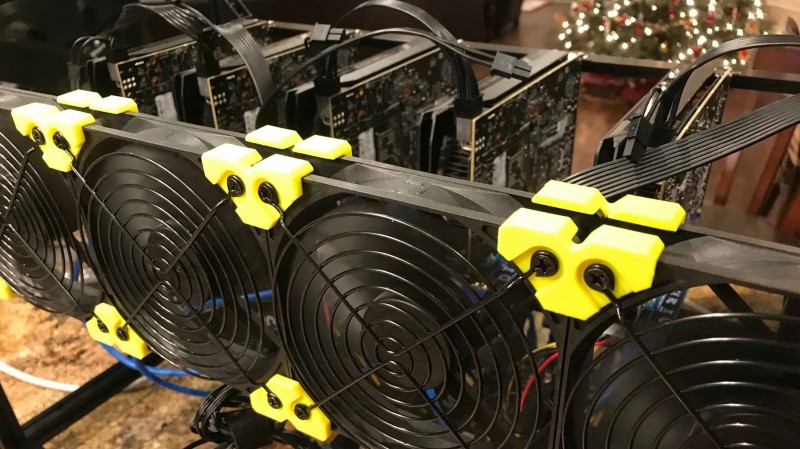
- Cooling - fans or open frame to drop heat.
- Software - mining OS and pool config.
The motherboard matters a lot. Asus Z270P Prime takes 6 PCI-e plus 2 m2 with adapters. Biostar TB250-BTC has 6 PCIe and a mining BIOS. Gigabyte B365 HD3 fits six GPUs and two m2 slots for eight total.
For CPU, a Celeron or i3 is fine. RAM of 4 to 8 GB works. A USB stick can boot the rig but an SSD is faster. Power supply must be solid since a surge can kill parts. Use 6-pin risers, not SATA, because SATA can catch fire.
Build A Small Mining Rig With Raspberry Pi
A fun way to learn is to build a crypto miner with Raspberry Pi and mine Monero. This is just to learn, not real money advice. Monero lets small devices join so the chain stays open to more people.
You need a Pi 4 with more RAM if you can. Tested hash rates show Pi 3 at 20 H/s, Pi 4 1GB at 45 H/s, Pi 4 4GB at 99 H/s. H/s means hashes per second. You also need an SD card, power, and internet.
Software side
- Monero wallet from getmonero.org.
- balenaCloud account to manage the device.
- balenaEtcher to flash the SD card.
You deploy with balena button or CLI. After boot, make a wallet in simple mode and copy the address. In balenaCloud set WALLET_ADDRESS and pick a pool like xmr.2miners.com:2222. The miner then joins the pool and runs.
Using a Raspberry Pi for mining is more of a fun experiment than a profitable venture. The low hash rate and high energy consumption make it impractical for real earnings.
Don't expect profit from a Pi. One user said power cost beats the tiny gain. It is good to learn the flow though. If you want to try phone mining cryptocurrency later, the pool ideas are the same but phones are even weaker.
Building A GPU Mining Rig
Many folks build a rig with many GPUs. One build used six GTX 1080ti cards on an Asus Z270P Prime board. The CPU was an i3 6100. RAM was 32GB but that is more than needed.
Sample 6 GPU build parts
- Motherboard Asus Z270P Prime.
- CPU i3 6100 or cheaper Pentium.
- RAM 4 to 8 GB is enough, not 32.
- PCI-e risers with 6-pin, not SATA.
- Boot media 16GB USB stick.
- GPUs 6x 1080ti.
- Power Seasonic 850w or HP 1200w server PSU.
- Frame custom plywood open air.
The rig pulled about 1800w at full load. That is near 7 amps. On 220v lines the amp draw is half of US 110v. Keep PSU load under 80 percent of rated. Software was SimpleMiningOS at $2 per rig per month with web control.
Profit sample: one 1080ti made about 0.05 Zclassic per day. Power cost was low at local rates. Net was near $5 a day per card. Total rig cost was high though, over four thousand. Another build with six GTX 1060 made $10-12 a day on Ethereum at a past price, using a 1000w PSU at 516w draw.
BIOS, Software, And Tuning
For a GPU rig, you change the BIOS. Set AC Power Loss to Always On so it reboots after a blackout. Turn on 4G Decoding if more than 4 cards are not seen. Pick the right video output.
Install Windows or a Linux mining distro. SimpleMiningOS, HiveOS, raveOS, ethOS, or balenaCloud for Pi are common. On Windows, disable sleep and set virtual memory. Install drivers for Nvidia or AMD.
Mining software can be NiceHash, Claymore, PhoenixMiner, or pool tools. With NiceHash you make an account and exclude the miner from antivirus. Overclock with MSI Afterburner. Nvidia uses core, memory, and power limit. AMD often needs BIOS mod and lower voltage. Careful, overclock can fry hardware.
Stability is key: find stable figures and leave it; every restart loses 30s+ mining time.
Mining Pools, Wallets, And Profit
You should use a mining pool. Alone you likely never find a block. Pools take about 1 percent fee. 2miners, MiningPoolHub, Luxor, f2pool, and others exist. Rewards go to your wallet after a set min.
Profit depends on coin price and power cost. Pi is not profit but fun. Six 1080ti gave near $5 a day per card. Six 1060 gave $10-12 a day at a past Ethereum price. An SC200 used about $30 CAD a month in power. Eight 3060ti cost was GPU-heavy but not listed per day.
To cash out, avoid fees by auto swap to LTC and send to Coinbase. That keeps more of your coin. This is where cryptocurrency for mining turns into something you can use or sell.
Electrical, Safety, And Noise
Power math is simple: Watts = Amps x Volts. In North America 110v with a 20A breaker gives 2200w max. Keep load under 80 percent. If the SC200 uses 1300w, the outlet must support it.
Safety notes
- Use 6-pin risers, not SATA, to avoid fire.
- Run PSU under 80 percent rated load.
- Pick platinum rated PSU for less waste.
- Noise grows with power, plan a quiet spot.
- Heat is real, rig warms the room, cool it.
The Geek Pub rig ran at 50-53 dB. That is like a quiet talk. Big load means more fan noise. Open-air frames help move heat. A rig is kind of a space heater in winter, no joke.
Example Dedicated Miner: ePIC SC200
The SC200 is a mining rig that runs the blake-2b algorithm for Siacoin. Setup is quick: plug in, wait 15 min to calibrate, fans are loud then settle. You use ePIC Dashboard to set pool, wallet, and mode.
Modes are 500w ultra efficiency with near no noise, or 1000w efficiency with more hash. Power cost was about $30 CAD a month. It is easy for a home miner who wants a box, not a build.
Easy for home miner.
Build Vs Buy A Mining Rig
Building a mining rig for crypto from scratch gives you control. You pick each part for your need. It can cost less long term if you know the tech. The build itself feels good when it boots.
Buying a pre-built skips the hard part. It is tested and tuned. You pay more but start fast. Check the maker rep to avoid scams. Prices spike in coin booms, so watch that.
Both paths need research. Talk in forums, read from real users. The PCIe 1x extender is fine for mining since the data stays on the card. Not fine for other heavy work. GPU prices move a lot, but the hardware keeps some value if you resell.
Best Crypto Mining Equipment
If you want to skip the build, look at best crypto mining equipment that is ready. ASICs like Antminer or SC200 are top for one coin. GPU rigs with good cards and a solid PSU are the flexible pick.
For a small start, a Pi or a few GPUs is enough to learn. You don't need a huge room. The barrier dropped, and a simple box teaches the ropes without big spend.
What I'd call good gear
- ASIC for one chain if you commit.
- GPU rig for coin hopping.
- Raspberry Pi for Monero learn.
- Good PSU with headroom.
- Open frame for cool air.
Online Cloud Mining And Phone Mining
Some people ask about online cloud mining or best website for cloud mining . That means you rent hash from a host instead of a box at home. It skips power and noise but you trust the host.
And phone mining crypto is a thing folks try. A phone is weak and burns battery. It is like the Pi: fun to test, not a real earner. If you want to make my own cryptocurrency , mining is not that. You would code a chain, not buy a rig.
Power consumption is a big issue with mining on Raspberry Pi. It might not be worth the electricity cost for the tiny profit you'd get. Better for learning than actual mining.
Genesis Crypto Mining And Start Steps
You may hear genesis crypto mining in old talks. It just means the first block of a chain, mined at launch. Not a product you buy. The real start is pick a coin, pick a rig type, then learn the pool.
I think the small path is best. Get a Pi or a few cards. Join a pool. Read the BIOS guide. Watch power. In time you will see if a bigger mining rig for crypto makes sense for you or not.
My Take On Small Rigs
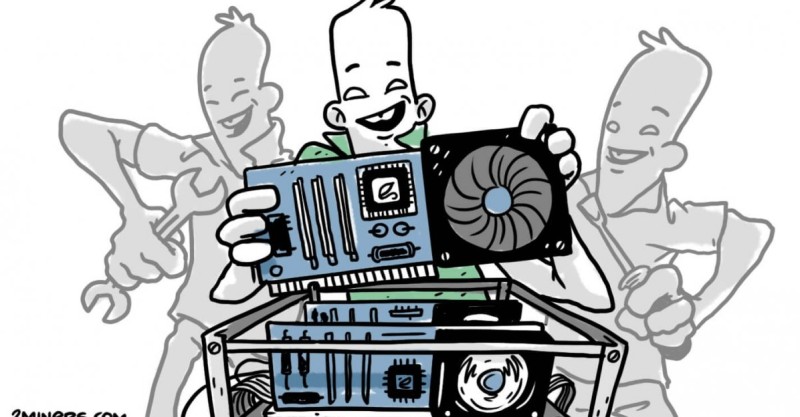
I like that the barrier to a mining rig for crypto collapsed. You don't need fancy gear. A Raspberry Pi or a few GPUs will do for learning. The big rooms are not the only way in.
Just don't skip the safety part. Risers, PSU load, and heat matter. A fire or dead card is a bad teacher. Start small, keep it cool, and the rest will make more sense as you go.
Hey, don't skip this part: use 6-pin risers, not SATA, to avoid fire.










Comments on “What a Mining Rig for Crypto Is - and How to Build It”
No comments yet. Be the first to share your thoughts.