Comparing the Best Hardware Crypto Wallets: What to Check Before You Buy
There is no single wallet that fits every crypto user. If you are searching for how to get a wallet for cryptocurrency , the key question is not the logo on the box. It is where the private key lives and how you will recover access if the device fails. I would compare the best hardware crypto wallets by security, recovery, supported assets, connection type, screen, price, and daily use.
A new owner also needs to know what a cryptocurrency wallet is . The wallet does not hold coins on disk. It holds or derives the keys that let you control assets recorded on a blockchain. That simple fact drives every choice in this comparison.
What a Hardware Wallet Keeps Offline
A crypto wallet stores or derives cryptographic keys. A public key works much like an account number and can be shared. A private key is the secret used to authorize spending. If another person gets that private key, they may be able to move the assets tied to its address.
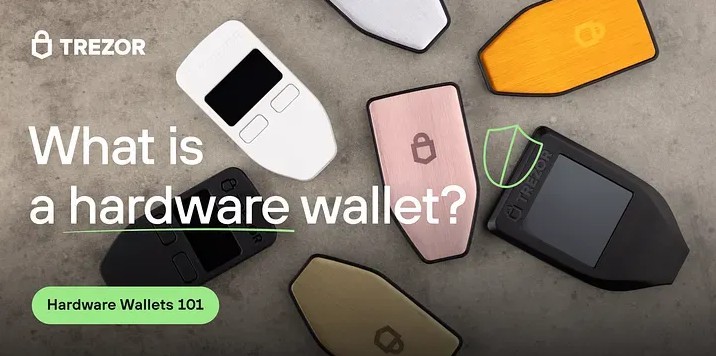
A crypto hardware wallet generates or uses keys inside a small physical device. The private key does not need to be copied into a browser, desktop app, or phone app. The device signs a transaction internally, so the online computer only receives the signed request.
Not your keys, not your coins.
This is why I care most about non-custodial storage. A custodial wallet puts the keys on an exchange or another service. A non-custodial wallet gives you control, but it also makes you responsible for the device, backup, PIN, recovery phrase, and every transaction check.
Hot, cold, and warm storage
- A hot wallet connects to the internet through a browser, desktop app, mobile app, or exchange account. It is easy to use but exposed to more online attacks.
- A cold wallet keeps keys outside the internet during normal storage. Most hardware wallets fit this group.
- A warm wallet keeps some key functions online but still asks the owner to approve each transfer.
- Paper and metal records can also provide cold storage, but using them often means moving the key into a computer later.
For long-term holdings, I like the simple split: hot wallet for small daily amounts, cold wallet for coins you plan to keep. That keeps the wallet I touch often away from the main savings.
How Hardware Transaction Signing Works
A hardware wallet transaction is a handshake between you, the companion app, and the device. The app prepares the request. The hardware wallet checks it. You confirm it on the device. Only then does the wallet create a signature without giving the private key to the computer.
A normal signing flow
- Start the transfer in an official app such as Ledger Live or Trezor Suite.
- Enter the recipient, amount, network, fees, and other needed details.
- Send the unsigned request to the hardware wallet.
- Check the destination and amount on the wallet's trusted screen.
- Approve the request with a button, touch control, PIN, or device screen.
- Let the device sign and send the signed request back for broadcast on the blockchain.
The whole exchange is not always offline. A QR, cable, Bluetooth, or NFC link may carry unsigned data, and the computer or phone still reaches the blockchain. The key part is that the private key stays inside the hardware device during this process.
The trusted screen matters because malware can change an address or amount shown on an untrusted computer. Never approve what you see only there. Read the hardware screen and check every part of the transfer.
The core principle of a hardware wallet is creating an air gap between your private key and any internet-connected device.
Recovery Options and Backup Design
Most hardware wallets create a 12-word or 24-word recovery phrase during setup. This phrase is the master backup. It can restore the same accounts on another compatible wallet. BIP39 covers the word phrase, while BIP32 and BIP44 describe how one seed can derive many addresses and account paths.
The phrase is not a normal login password. Anyone who gets it may be able to restore the wallet and control the assets. A misspelled word or wrong position can also make your backup fail when you truly need it.
Recovery phrase storage
- Write every word on the supplied record in the exact order shown by the device.
- Use the device's check process to confirm every word and its position.
- Keep the record offline in a secure place.
- Use paper or metal when fire, water, or wear could destroy paper.
- Keep separate copies in separate safe places when the amount justifies it.
- Do not photograph, email, upload, type into a normal notes app, or enter the phrase on a website.
Some source advice rejects password managers for seed storage. Another allows an encrypted password manager only when the service cannot learn the secret. I would not blur that line: the recovery phrase should stay away from unrelated sites, apps, and services.
A device PIN protects daily access to the hardware. A passphrase is different. It works with the recovery seed and can create hidden accounts. If you use one, back it up too. Losing the passphrase can lock those accounts even when the original phrase is safe.
Advanced recovery designs
- A passphrase can create hidden accounts or split balances under one seed.
- Multisig needs several signers, such as three approvals in a 3-of-5 setup.
- Shamir backup splits secret material into shares that must be brought together.
- Social recovery lets several guardians replace a lost signing key.
- Seedless designs replace a standard 12- or 24-word phrase with another key-sharing method.
If a maker closes, the coins remain on the blockchain. A compatible wallet can restore your accounts when you have the seed and the right derivation path. That portability matters more than the brand printed on the first device.
Security Features I Check Before Buying
A small price difference can buy a better screen, radio, chip, or backup method. But extra parts do not create good security by themselves. I check the full path from key generation to transaction approval.
Hardware security checks
- Private keys are generated and stored inside the device.
- A secure element separates key work from the main processor.
- The device can sign without exporting a private key.
- The device has a trusted screen for addresses, amounts, and fees.
- Physical action is required before a transfer is signed.
- An air-gapped or camera-based workflow is available when needed.
- The chip and firmware have been reviewed by outside security teams.
- Open-source firmware or software is available when that matters to you.
- Tamper detection or a wipe process is clearly documented.
- Firmware can be updated through the manufacturer's official process.
Chip certification is one part of the review. A certified chip can still sit inside a device with a poor screen, weak PIN rules, bad firmware, or unsafe backup design. I also read what a self-destruct or wipe feature does, because it may protect keys while making stolen access harder for the real owner.
There is no single best wallet for everyone. Your choice comes down to your budget, the coins you hold, and how you actually use crypto.
Coin, Network, and App Support
Do not start with a huge number printed on the box. Start with the assets you plan to hold. One wallet may handle Bitcoin through its own app but need a third-party app for an Ethereum token. Another may list assets through a connection that does not work with your exchange or DeFi setup.
Bitcoin, Ethereum, Solana, Cardano, XRP, Litecoin, Dogecoin, Zcash, Tezos, Stellar, NFTs, stablecoins, and token standards all use different networks or wallet interfaces. No device can cover every chain in the same way.
Support questions
- Which exact coins, networks, and token standards do I need?
- Does the maker support the asset directly or through another wallet?
- Can I use the wallet with MetaMask, exchanges, DeFi apps, or NFT markets?
- Which desktop and phone systems are supported?
- Does mobile use require a cable, Bluetooth, NFC, or a camera?
- Are advertised asset totals counting the same thing as another maker's total?
One product list may count installed apps. Another may count every asset reachable through an integration. Those numbers are not apples to apples. Check the exact asset and network name instead of trusting the biggest total.
A read-only tracker can also show balances through a public address or xPub without receiving your private key. That is useful for portfolio views, but an xPub can expose account history. Blockchain data is public even when your legal name is not attached to it.
Screens, Controls, and Daily Use
The best device is one you will use without panic. A screen that clearly shows the full destination can be worth more than a faster radio. Touch controls may make navigation easy, while physical buttons can feel more certain and last longer in rough use.
Connection choices
- USB-A works with many older computers but may need an adapter.
- USB-C is common on newer computers and phones.
- Bluetooth removes the cable and suits mobile use.
- NFC allows a tap-based workflow on some phones.
- Camera and QR codes can pass unsigned data without a direct electronic link.
- A fully air-gapped setup can remove the computer from the signing path, but it adds steps.
Check whether the maker's app supports your exact operating system. Some desktop-first wallets need a phone adapter. Some mobile apps work on Android but not iOS. A companion app may be needed to view balances or prepare a transfer even when the key stays offline.
Physical design matters too. A metal case may resist impact, but it does not stop someone from forcing you to approve a transfer. A small device can be easy to carry and easy to lose. A large screen can help with NFTs while making the wallet less pocket-friendly.
Ledger and Trezor Trade-offs
Ledger and Trezor are often compared because both use dedicated devices and trusted screens. But they do not make identical trade-offs. Understanding what a Ledger wallet is starts with its secure element, private-key isolation, and Ledger Live software. A Ledger hardware wallet is one tool in that system, not the owner of the coins.
A Ledger Nano crypto wallet gives you several connection choices across the model line. Some use USB-C only. Others add Bluetooth, a battery, a larger E-Ink screen, or wireless charging. A Ledger hardware wallet can fit many assets, but you still need to check the network and app used for each one.
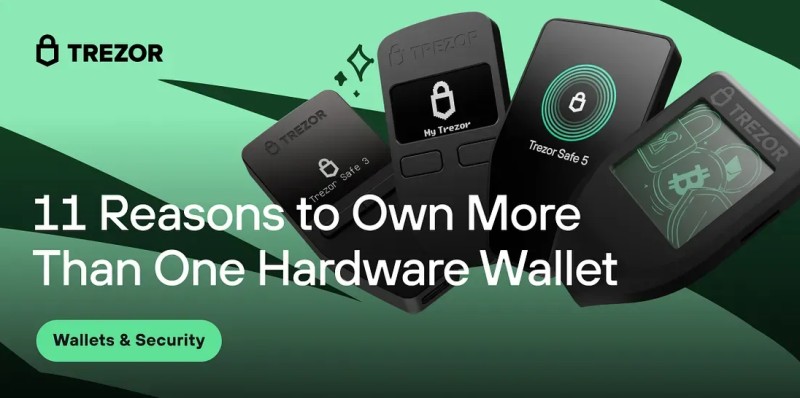
Trezor takes a more open-source approach in the source material. A Trezor cold wallet keeps the key in the device and uses Trezor Suite to prepare transactions. Some models add a Secure Element, while others use buttons or a touchscreen for on-device entry.
Model traits named in the source
- Ledger Nano S Plus: USB-C, no Bluetooth, and a low-cost path for desktop users.
- Ledger Nano X: USB-C, Bluetooth, a rechargeable battery, and mobile use through Ledger Live.
- Ledger Stax: a large curved E-Ink screen, Bluetooth, USB-C, and wireless charging for power users and NFT viewing.
- Ledger Nano Flex: an E-Ink screen, NFC, and a premium feature set.
- Trezor Model One: USB-A, no Bluetooth, and a lower-cost design for desktop use.
- Trezor Safe 3: USB-C, open-source design, a Secure Element, and Bitcoin-only firmware support named in the source.
- Trezor Model T: a color touchscreen and direct PIN or passphrase entry on the device.
- Trezor Safe 5: chosen in one security guide when open-source firmware is the main priority.
Family names can cover models with different ports, chips, screens, and software. Before buying, check the exact model page and compare the recovery method. I also check the physical Ledger wallet hardware against my phone, case, and desktop ports.
A search for ledger nano x price gives you one number, but not the full cost. Add backup media, a possible second device, shipping, and the value you plan to protect. The cheapest device can make sense for a small holding. A larger model can be fair for a large one if its screen or radio solves a real need.
Air-gapped and Seedless Devices
An air-gapped wallet can exchange unsigned transaction data through QR codes. The computer never sends a private key to the device. Blockstream Jade focuses on Bitcoin and Liquid assets. Ellipal Titan uses a camera, color screen, and no direct cable. NGRAVE Zero adds biometrics, a metal case, and a high EAL certification in the source.
Air-gapped operation reduces one connection path, but it does not remove phishing or setup errors. You still have to scan the right code and check the device screen. More steps can also make a wallet less pleasant for frequent transfers.
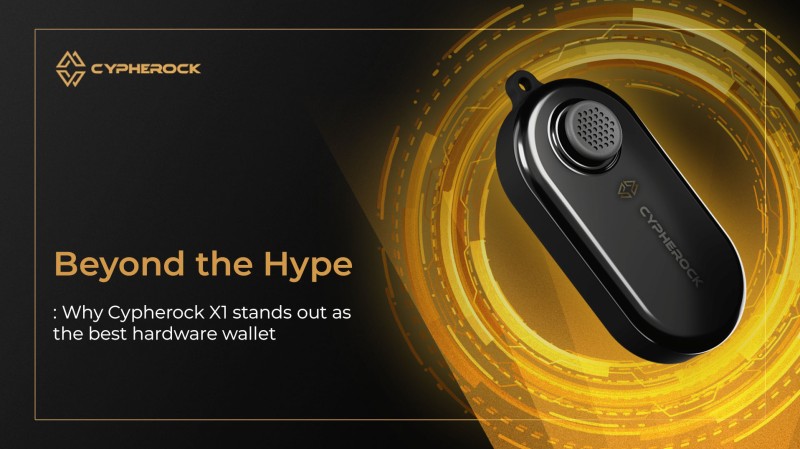
The Cypherock X1 takes a different route. According to the maker's material, it splits private-key material into five Shamir shares and needs two to complete a transaction. No standard 12- or 24-word seed is required. That can reduce the risk of one written backup being stolen, but it moves the burden to share storage and recovery planning.
Questions for a seedless or shared-key design
- How many shares are required?
- Can one share be stored on a card and another at home?
- Can trusted people hold separate shares?
- What happens if a card or device is lost?
- Can the wallet be recovered if the maker's app disappears?
- Is there a documented migration path for the shares?
Other Devices and Total Cost
Ledger and Trezor are not the only choices. BitBox02 uses touch sensors and a microSD backup. SafePal S1 offers broad chain support at a low listed price, but the source notes fragile plastic. KeepKey has a large screen and a low price, with narrower asset and app support.
These choices show why a ranking can mislead. A Bitcoin-only user may care more about QR signing than a large token count. A mobile user may pay more for Bluetooth. A business owner may need a second device and a clean split between company and personal funds.
Other models in the source
- BitBox02: minimalist USB-C design, touch confirmation, and a microSD backup.
- Blockstream Jade: USB-C plus camera-based QR signing, with a focus on Bitcoin and Liquid.
- Ellipal Titan: air-gapped QR use, color display, broad asset claims, and anti-tamper wiping.
- SafePal S1: many blockchains, Bluetooth use with a phone, and a chip self-destruct feature.
- NGRAVE Zero: air-gapped operation, biometrics, tamper resistance, and a metal body.
- KeepKey: a large display, desktop use through Shapeshift, and fewer third-party integrations.
Compare the total cost, not only the box price. I would include shipping, backup cards or metal, a replacement unit, and the cost of learning a new app. The device protecting a large long-term holding deserves a larger budget than a small experiment.
One simple rule helps me narrow the best hardware crypto wallets: choose the least complex device that meets your asset, recovery, and connection needs. A premium feature with no use for your setup is just another thing to pay for.
Buying Source and Package Inspection
Buy directly from the maker or a verified official reseller. A low price from an unknown seller is not worth the key risk. A scam seller can modify firmware, capture a recovery phrase during setup, or send a used device with old keys inside.
Package checks
- Look for holographic seals and intact security tape.
- Check shrink wrap for loose, uneven, or resealed sections.
- Look for dents, tears, or other signs that the box was opened.
- Compare the package with the maker's official photos.
- Check the device model and serial details after opening the box.
- Stop and contact official support if something looks wrong.
Do not initialize a wallet with broken seals or odd packaging. The setup screen is not a way to remove doubt that the device was intercepted before delivery. Check first, then set it up on a clean computer.
A Clean Hardware Wallet Setup Sequence
I would set up the wallet before loading any funds. This gives me time to write down the recovery words, check them, and test the process without money at stake.
Setup steps
- Buy the device from the maker or a verified reseller.
- Inspect the seals, box, and device before powering it on.
- Follow the maker's initialization prompts.
- Write down all 12 or 24 words in the exact order.
- Confirm the words and order through the device's check process.
- Store the recovery record offline in more than one safe place when possible.
- Set a strong, random device PIN.
- Install the official companion app and confirm the wallet address.
- Send a small test and verify the full destination on the hardware screen.
The source uses a small test of about $10 as an example. The exact amount does not matter. A small transfer lets you learn the flow, see fees and confirmations, and catch a wrong address before the main deposit.
Never type the recovery phrase into a website, chat window, email, or support form. The phrase belongs on the physical record or inside the device during a real recovery process.
Firmware, Software, and Phishing Checks
The hardware chip is only one part of the system. The companion app, browser, operating system, and firmware can still be attacked. That is why hardware wallets lower online key theft without making crypto completely safe.
Ongoing care
- Download wallet software from the maker's official site.
- Install firmware directly through the supported process.
- Read release notes before an update.
- Keep the computer and phone used for transactions patched.
- Remove unknown apps and scan for malware when the device behaves oddly.
- Check that the app shows the address and network you expect.
- Keep a note of which device, firmware, and recovery method you use.
Firmware updates can add coin support, fix security bugs, and change how the wallet talks to its app. Read the notes before clicking through. A new feature should not make you surrender control of the recovery phrase.
Phishing can imitate a wallet site, exchange, email, or help desk. Fake support may ask for your recovery words. No real support agent needs those words to fix a connection problem. Stop, open the official app yourself, and check the device rather than following a link from a message.
Using One or Two Hardware Wallets
One hardware wallet can be enough when it comes from a trusted source and has a tested backup. A second device can help with emergencies, travel, inheritance, separate funds, and multisig signing. But a second device also gives you more firmware, locations, pairings, and passphrases to manage.
Good reasons for a second device
- Keeping a restored spare in a separate safe place.
- Using a limited travel wallet while the main wallet stays home.
- Separating active trading funds from long-term holdings.
- Keeping business funds apart from personal funds.
- Running Bitcoin-only storage beside other assets.
- Teaching a friend how self-custody works.
- Serving as a separate signer in a multisig setup.
A restored second device is not automatically a second independent backup if both devices depend on one recovery phrase. It helps when the first unit fails, but the phrase still needs separate protection. For deeper separation, use independent backups, split shares, social recovery, or several multisig signers.
Hardware Wallet Limits and Lifespan
A hardware wallet reduces direct online exposure of the private key. It does not block phishing, fake support, a compromised computer, physical theft, coercion, or a bad recovery record. The owner can still make a costly mistake with a perfectly sealed device.
Risks and responses
- Lost device and lost phrase: keep separate offline recovery copies.
- Exposed phrase: treat the wallet as controlled by someone else and move funds to a new wallet.
- Wrong recipient: verify the full destination on the hardware screen.
- Malware on the computer: keep the key in the device and patch the computer.
- Physical theft or coercion: reduce the amount carried and use a separate wallet for riskier storage.
- Unsupported coin: check network support before depositing.
- Lost multisig signers: test recovery and keep the signer set available.
- Maker support ends: use a portable seed or documented shared-key recovery method.
One source estimate puts the life of a cryptographic chip at 20 to 30 years. That is a chip estimate, not a promise that the battery, screen, firmware, app, or blockchain connection will last as long. Keep a replacement path and a recovery plan.
Offline key storage lowers one risk. It does not remove backup errors, phishing, or physical attacks.
My Short-list by Use Case
These are the short groups I would use when comparing the best hardware crypto wallets. They are not winners in every case. The exact model, connector, recovery plan, and official software still need to match your setup.
A simple buying matrix
- For broad desktop use with USB-C, compare Ledger Nano S Plus with Trezor Safe 3 and the lower-cost Trezor Model One.
- For open-source firmware as a main rule, compare Trezor Safe 3, Safe 5, and Model T with the exact chip and screen needs.
- For phone use with Bluetooth, compare Ledger Nano X and its mobile app support.
- For a larger E-Ink screen and NFT viewing, compare Ledger Stax with the size and battery needs.
- For air-gapped Bitcoin, compare Blockstream Jade with Ellipal Titan or NGRAVE Zero when broader chains or extra physical controls matter.
- For a simple microSD backup, compare BitBox02 with the cost of protecting that card.
- For many blockchains at a lower price, compare SafePal S1 with its plastic case and self-destruct behavior.
- For seedless storage, compare Cypherock X1 with the number of shares, card backup, and recovery rules.
- For a large holding, compare a hardware device with multisig signers, social recovery, or separate offline backups rather than choosing by screen size alone.






Comments on “Comparing the Best Hardware Crypto Wallets: What to Check Before You Buy”
No comments yet. Be the first to share your thoughts.